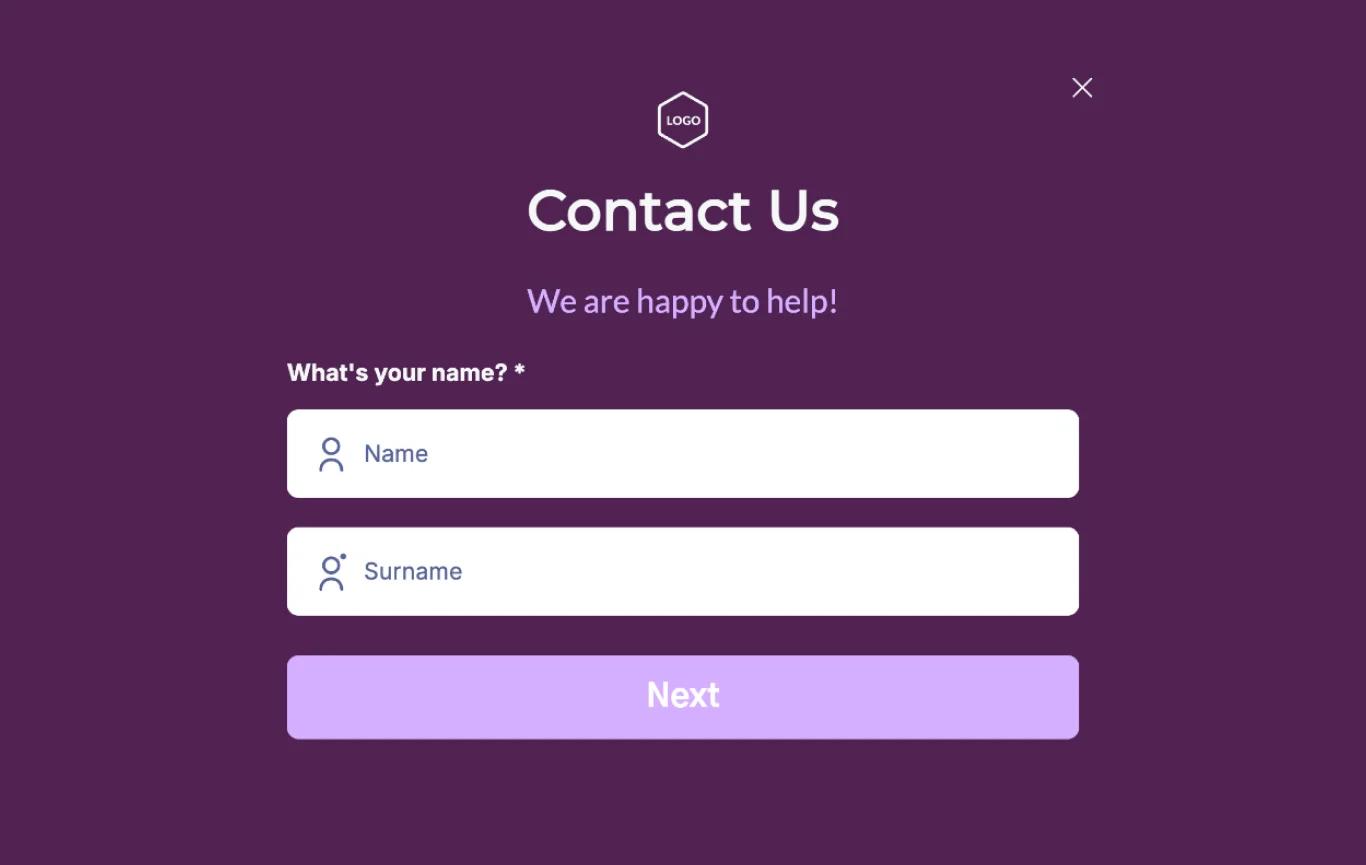
You have a contact form. It looks fine. People fill it out. But your inbox stays quiet, and you start to wonder if anyone actually interested in your business or product.
Or worse: leads are coming in, but your form is dumping them into a black hole. You never see them. They think you ghosted them. You think no one cares.
A broken contact form is one of the most expensive silent killers on a website. It costs you real money, and you might not even know it's happening.
Here is how to tell if yours is broken, why it breaks, and how to fix it.
The symptoms of a broken contact form
1. You get spam, but no real inquiries
This is the classic sign. Your inbox fills with "SEO experts" promising first-page rankings and cryptic messages in broken English, but legitimate customers never seem to reach out.
What is happening: spambots found your form and are hammering it. Meanwhile, real humans filled it out, got no confirmation, assumed it worked, and are now waiting for a reply that will never come.
The fix: Add a honeypot field (invisible to humans, traps bots) or a lightweight CAPTCHA like Cloudflare Turnstile. ReCAPTCHA v3 is also an option if you want invisible bot protection. Then test the form yourself from a private browser window.
2. You submitted a test message and it never arrived
This is the only test that matters. Go to your website right now. Fill out your own contact form with a different email address. Wait five minutes. Check that inbox.
Did nothing arrive? Check your spam folder. Still nothing? Your form is broken.
Common causes:
- Your web host's email server is blacklisted or throttled.
- The "From" address in your form is set to the visitor's email, which your server rejects as spoofed.
- Your form plugin or script has a silent error.
- Emails are being sent, but your provider's spam filter is eating them.
The fix: Do not rely on basic server email. Route form submissions through a transactional email service like Resend, Postmark, or Mailgun. These services guarantee delivery and show you logs of what sent and what bounced.
3. Your form has no confirmation message
A visitor hits "Submit." The page reloads. Nothing happens. No "Thank you" message, no redirect, no email confirmation. They are left wondering if it worked, and many will assume it did not and leave.
The fix: Add a clear confirmation message or redirect to a "Thank You" page. Better yet, send an auto-reply email: "Thanks for reaching out. I typically reply within one business day." This sets expectations and confirms the form actually functioned.
4. Your form asks for too much
Name. Email. Phone. Company. Budget. Timeline. Project Description. How Did You Hear About Us?
Every field is friction. Every field is an opportunity to abandon the form. I have seen contact forms with twelve fields. That is not a contact form. That is an interrogation.
The fix: Cut to three fields maximum for a first contact:
- Name
- Message
If you absolutely need a phone number, ask for it in the follow-up. Get the conversation started first. You can qualify leads later.
5. Your form is buried or missing on mobile
Open your site on your phone. How many taps does it take to reach your contact form? If the answer is more than two, it is too hard.
On mobile, "Contact" should be in your top navigation or a sticky button. The form itself should be thumb-friendly: large inputs, clear labels, no zoom-required text.
How to actually test your form properly
Most business owners do this once at launch and never again. Your form should be tested quarterly, minimum.
The audit:
Submit a test from desktop Chrome.
Submit a test from mobile Safari.
Submit a test with an ad blocker enabled.
Submit a test with a VPN active.
Check if submissions arrive in your main inbox, not spam.
Check if your auto-reply fires correctly.
Check if your CRM or notification system catches it.
If any of these fail, fix it immediately. A broken form on a high-traffic page is like leaving your shop phone off the hook.
The nuclear option: stop relying on forms entirely
Some visitors will never fill out a form, no matter how perfect it is. Give them alternatives:
- A direct mailto: link that opens their email client pre-filled.
- A Calendly or similar booking link for "Book a 15-minute call."
- Your actual phone number, clickable on mobile.
Different people prefer different contact methods. Your job is to remove every excuse not to reach out.
A real story
A client once told me they had not received a lead in three months. Their site looked great. Traffic was steady. The form was beautiful.
I submitted a test. Nothing arrived. I checked their form backend: 47 submissions in the queue, none ever emailed out.
Their hosting provider had silently changed email policies. Forty-seven potential clients thought they were being ignored. Some of those were probably high-value projects.
One settings change fixed it. But the damage—lost trust, lost revenue—was already done.
The bottom line
Your contact form is not a "set it and forget it" feature. It is a critical business system. Test it regularly, simplify it ruthlessly, and route it through reliable infrastructure.
And if you just read this and thought, "I should probably check my form,"—do it now.
Want me to check it for you?
I do free website audits. I'll test your contact form, check your speed, and tell you exactly what's silently costing you leads.
Here’s my portfolio website: https://nafizdevportfolio.vercel.app/